
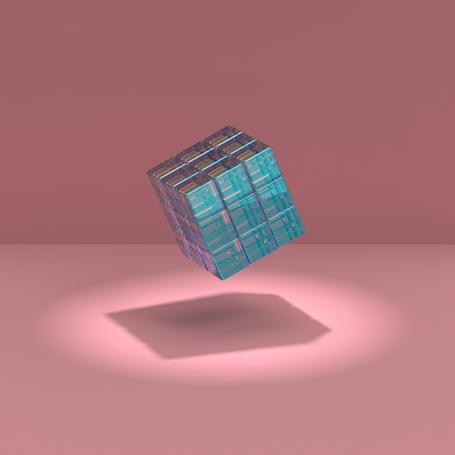
Over the past few years, 3D experiences have gone from being something reserved for video games to becoming an increasingly common tool in web development.
Today you can tour a home virtually, configure a car in real time, walk through a museum, or even browse a fully three-dimensional online store without installing any additional software, right in the browser.
Libraries like Three.js or Babylon.js and technologies like WebGL or WebGPU have made these kinds of experiences much easier to build. Yet while the industry has come a long way on the visual side, there's one very important aspect that tends to get left behind: accessibility.
It doesn't matter how amazing or spectacular an experience can be if a large share of users can't enjoy it. Accessibility shouldn't be seen as an additional requirement or an "extra," but as a fundamental aspect that, just like in any other web project, must be taken into account from the very start of development.
What do we mean by a 3D website?
When we talk about a 3D website, we don't just mean a page with a few animated objects or decorative 3D elements. We mean applications where three-dimensional space is part of the interface itself.
Some examples:
- Product configurators where we can rotate and customize an object.
- Virtual tours of buildings or museums.
- Immersive educational applications.
- Interactive storytelling.
- CAD model viewers.
- Virtual or augmented reality experiences in the browser.
In all of these cases, users stop navigating between traditional pages and start interacting with a three-dimensional environment. And that's precisely where new challenges appear, especially when it comes to accessibility.
Why is accessibility different in a 3D environment?
Traditional web accessibility leans heavily on HTML. On a properly designed and built website, a screen reader knows how to identify a button, a heading or a link because the browser fully understands the document's semantics.
Inside a <canvas>, however, almost everything is pixels, and unless we provide additional information, screen readers can't tell what they're "looking at."
That forces us to add an extra layer of information so assistive technologies can correctly interpret what's happening inside the 3D environment.
Main accessibility challenges in 3D environments
3D experiences introduce a set of challenges we rarely find on a traditional website. Many of them have to do with how we interact with the content, while others come from the limitations of assistive technologies when interpreting this kind of interface. Here are some of the most common challenges.
1 Complex navigation
On a traditional web page, we follow a fairly predictable structure made up of headings, menus, forms and links. In a 3D environment, however, interaction changes completely: we have to move a camera, rotate objects, zoom in and out, or move around a virtual scene.
The problem is that many of these actions can only be performed with a mouse or touch gestures. That makes access harder for users with reduced mobility or who rely on the keyboard alone, since actions like "drag to rotate an object" or "zoom with the scroll wheel" don't always have an accessible alternative.
If the experience wasn't designed with this in mind, users probably won't be able to navigate it. That's why it's essential that all important actions can also be performed with the keyboard and that there are clear shortcuts for moving around the scene.
2 Lack of semantic structure
One of the biggest problems with 3D websites is that the objects inside the scene have no semantics that assistive technologies can interpret.
Imagine there's a button to open a menu inside the scene. It looks like a button and users can click it with the mouse, but to a screen reader, that button doesn't exist as such. It's all part of the content rendered inside the <canvas>, so the screen reader doesn't know what it is, what it does, or whether it can be interacted with.
To solve this problem, it's common to overlay HTML elements synchronized with the 3D scene or to use accessibility attributes that properly describe each interaction.
3 Over-reliance on visuals
Many immersive experiences convey almost all of their information through colors, icons, lights, animations or visual changes. That can make them very hard to use for people with visual impairments.
Whenever possible, it's a good idea to complement these elements with text, descriptions or additional indicators. In the end, it's not about meeting or not meeting a set of accessibility guidelines as a technical requirement, but about offering different ways to access the same information so that anyone, regardless of their abilities, can enjoy the experience on equal terms.
4 Cognitive overload
Three-dimensional environments often contain a large number of visual stimuli: dynamic shadows, particles, reflections, constant animations or moving cameras. While all of that can make the experience feel more immersive, it can also cause disorientation or make the interface harder to understand.
A good experience should help users understand where they are, what actions they can take and what the next step is. Elements like initial tutorials, guided tours or clear visual indicators can make a big difference.
5 Performance issues
When we talk about accessibility, we tend to think only of people with disabilities, but the concept is much broader. An application that requires a state-of-the-art computer or a high-speed connection is also shutting out a great many users.
Optimizing a 3D scene doesn't just improve performance, it makes the experience accessible to more people. Reducing polygon counts, optimizing textures, using models with different levels of detail (LOD) or loading resources progressively are some of the most common techniques for achieving it.
6 Motion sensitivity
Not everyone reacts the same way to motion. Fast camera movements or abrupt changes of perspective can cause dizziness, eye strain or a sense of disorientation, especially in virtual reality experiences.
For this reason, it's advisable to let users reduce or turn off certain animations, lock the camera when possible and respect system preferences related to reduced motion.
Conclusion
3D experiences are transforming the way we interact with the web. They can deliver interfaces that are far more immersive, engaging and dynamic, but they also bring new challenges we can't afford to overlook.
Accessibility isn't about limiting creativity or giving up on these technologies. It's about designing them so that anyone, regardless of their abilities or context, can use them. Knowing these challenges is the first step toward building more inclusive experiences.
In the next part of this series, we'll look at the best practices and techniques we can apply to build 3D websites that are accessible by design.

Vanessa Davo Parreño
I’m a multimedia engineer working as a software developer and UI/UX designer. I see technology as a tool to build more just, equitable, and accessible spaces. I’m a creative and curious person, so I love continuously learning, especially when it comes to exploring new ways of creating.
View more of Vanessa.More thoughts about this.
Read more.
Web Accessibility: 3 Perspectives That Go Beyond Colour Contrast.

WCAG 3.0: How It Is Changing the Way We Understand Web Accessibility.
Target Size: The Great Overlooked Aspect of Accessibility.

Write Better for Everyone: A Guide to Accessible Web Content Writing.

Comments are moderated and will only be visible if they add to the discussion in a constructive way. If you disagree with a point, please, be polite.

Tell us what you think.